- College Predictor 2026
- About CUET (UG)
- Courses
- Blogs
- Home
- Logout
- Login
- Language: Eng | हिंदी
CUET 2027 Application Form: How to Fill It Step by Step
CUET 2027 Application Form: How to Fill It Step by Step (Fees, Documents, Category and PwBD Rules)
The CUET 2027 application form has not opened yet. NTA opened the 2026 form on 3 January 2026, so the 2027 window is most likely to open in January or February 2027. But the form itself does not change much from year to year, and NTA releases a demo version of it every cycle. That demo is what this guide walks through.
Most mistakes in the CUET UG application form are not dramatic. They are small: a name spelled one way on the Class 10 certificate and another way on Aadhaar, an email inbox nobody checks, an OBC-NCL certificate made six months too early. Each of these can cost you a rejected form or a scramble during DU admissions. This guide covers how to fill the CUET application form section by section, so you know what to keep ready before the window opens.
How to fill the CUET 2027 application form: quick answer
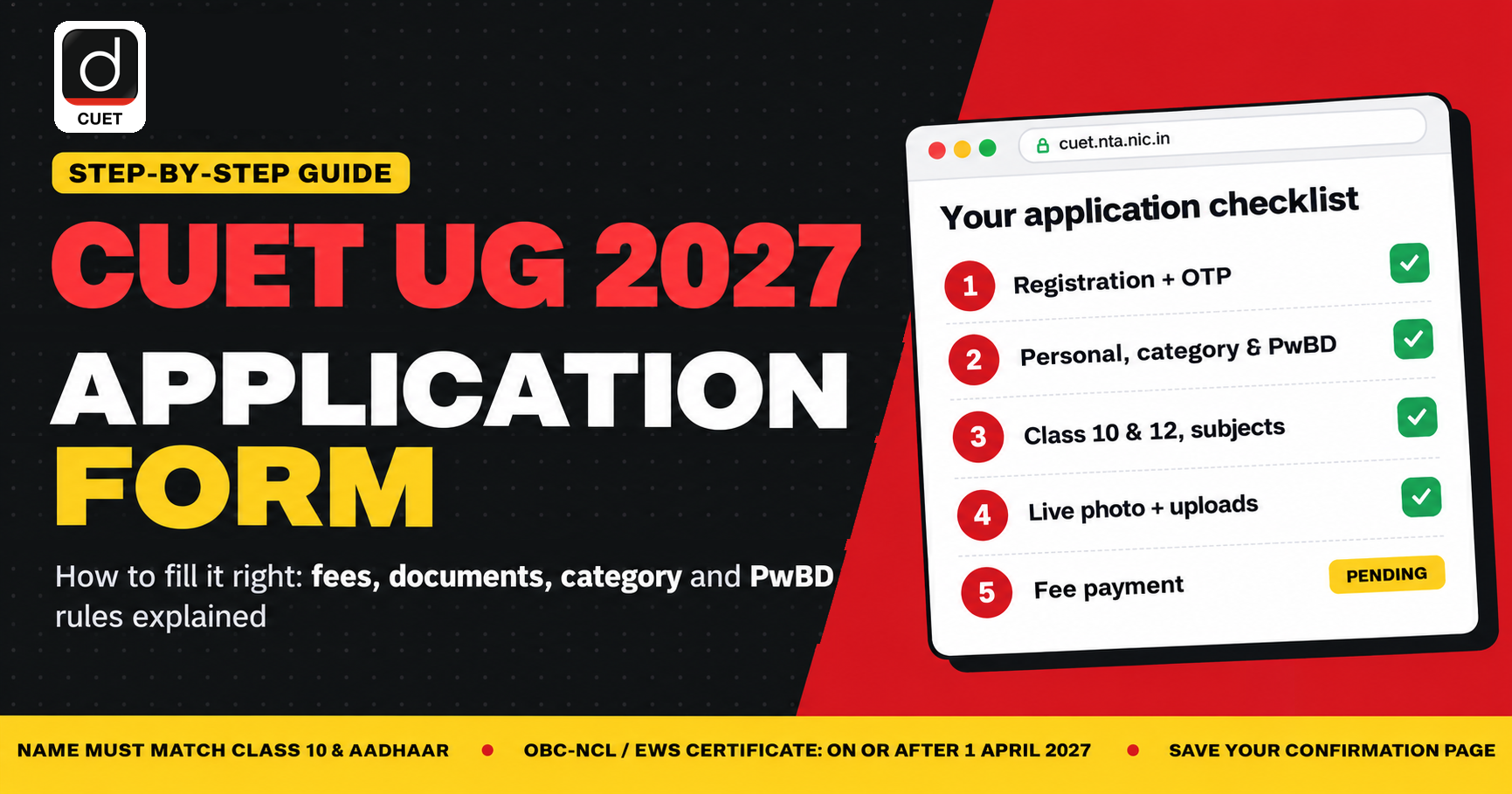
- Go to cuet.nta.nic.in and click on New Registration.
- Register with your name, date of birth, address, mobile number and email, create a password, and verify your mobile number with an OTP.
- Log in again and complete the application form: personal details, category and PwBD details, identity proof, Class 10 and 12 details, subject selection and live photo capture.
- Upload your photograph, signature and any category or PwBD certificate.
- Pay the application fee online and save the confirmation page.
The rest of this post explains each step and the details that trip students up.
When will the CUET 2027 application form open?
NTA has not announced the CUET UG 2027 registration date yet. For reference, the 2026 timeline ran like this: the form opened on 3 January 2026, the deadline was extended from 30 January to 4 February, a correction window opened on 9 February, and the portal was briefly reopened in late February for candidates who had missed it. Expect a similar January–February window for 2027.
The full CUET UG 2027 timeline, eligibility and syllabus are tracked on our CUET UG 2027 exam date, registration, eligibility and syllabus , which we update as NTA releases notices.
The three stages of the CUET application form
When you click New Registration on the CUET website, the portal shows you the process in three stages:
- Registration: basic details, contact information and password creation.
- Application form: personal, category, PwBD, educational and subject details, plus document uploads.
- Fee payment: online payment through net banking, card or UPI.
Your dashboard tracks each stage as Completed or Pending. After registration, it will show registration and mobile verification as complete, and the application form, email verification and fee payment as pending. You can come back and finish the pending items later, but the form only counts once all three stages are done.
Documents required for the CUET application form 2027
Keep these ready before you start. The sizes below are from the 2026 cycle; recheck them against the CUET UG 2027 Information Bulletin when it is released.
|
Document |
Format and size (2026 cycle) |
What to check |
|
Recent photograph |
JPG/JPEG, 10 KB to 200 KB |
Coloured, white background, face covering about 80% of the frame, no mask |
|
Signature |
JPG/JPEG, small file (10 KB to 50 KB in the demo form) |
Clearly legible; NTA has varied the exact range, so confirm in the bulletin |
|
Identity proof |
Auto-verified through DigiLocker for Aadhaar; otherwise a scanned upload |
Name must match your Class 10 certificate |
|
Category certificate (SC/ST/OBC-NCL/EWS) |
PDF, commonly 50 KB to 300 KB |
Central government format, number, issue date, issuing authority |
|
PwBD / UDID certificate |
PDF, commonly 50 KB to 300 KB |
Certificate number, issue date, issuing authority, type and percentage of disability |
|
Class 10 and Class 12 details |
Marks and board details |
Class 12 appearing students select “appearing” |
Before the 2026 form opened, NTA specifically asked candidates to update their Aadhaar, disability certificate, UDID card and category certificate in advance. Do the same for 2027: fix any mismatch in your documents now, not during the registration window.
CUET application fee 2027 (expected, based on 2026)
The CUET UG application fee is charged for up to three subjects, with an additional charge for each subject after that. In 2026, students could choose a maximum of five subjects.
|
Category |
Up to 3 subjects |
Each additional subject |
Total for 5 subjects |
|
General (UR) |
Rs. 1,000 |
Rs. 400 |
Rs. 1,800 |
|
OBC-NCL / Gen-EWS |
Rs. 900 |
Rs. 375 |
Rs. 1,650 |
|
SC / ST / PwBD / Third gender |
Rs. 800 |
Rs. 350 |
Rs. 1,500 |
|
Centre outside India |
Rs. 4,500 |
Rs. 1,800 |
Rs. 8,100 |
Worked example: a General category student taking five subjects pays Rs. 1,000 for the first three and Rs. 400 × 2 = Rs. 800 for the next two, a total of Rs. 1,800.
These are the 2026 figures. NTA can revise them, so treat the 2027 bulletin as final.
Step 1: CUET 2027 registration and password creation
Read the instructions page first
Clicking New Registration opens an instructions page listing the fee structure, documents and password rules. It is tempting to tick the box and move on. Read it once: it is where NTA states the photo and signature specifications for that year. Tick the declaration and click “Click here to proceed.”
Personal details at registration
The registration form asks for:
- Your name, father’s name, mother’s name and guardian’s name
- Date of birth and gender
- Your full address
- Email address and mobile number, each entered twice for confirmation (select +91 if you live in India)
- An optional alternate contact number, such as a parent’s
You will be asked to confirm your personal details a second time. This is deliberate. Type them again carefully rather than copy-pasting a typo into both fields.
Your mobile number and email must stay active
This is the most underrated part of CUET UG 2027 registration. NTA sends every update about your exam to your registered mobile number and email: the city intimation slip, admit card release, centre changes and result notices. Do not enter a number that often runs out of recharge, or an email you never open. Use an email that is logged in on your phone.
CUET password requirements
As per the demo form, your CUET password must:
- Be 8 to 13 characters long
- Contain at least one uppercase letter
- Contain at least one lowercase letter
- Contain at least one number
- Contain at least one special character (such as @, # or $)
You will also choose a security question and answer. If you forget your password, you reset it through this security question, so pick one whose answer you will remember exactly. A practical approach to the password: combine part of your name, a special character and a few numbers you will not forget, then write it down somewhere safe.
Review, declaration and OTP verification
After entering the captcha and submitting, you reach a review page where the portal asks you to confirm each entry one by one. Tick each confirmation, accept the declaration, and click “Submit and send OTP” to verify your mobile number. Enter the OTP and you are logged in.
If you spot an error at this point, use the Edit Registration Form option to correct it before moving to the application form.
Step 2: Personal details in the CUET application form
Click Complete Application Form. A checklist on the side shows which sections are done. At this point only your contact details will show as complete.
Your name must match your Class 10 certificate and Aadhaar
Enter your name exactly as it appears on your Class 10 certificate, and make sure your Aadhaar shows the same name. A mismatch can lead to your form being rejected. If your Aadhaar and Class 10 certificate differ, get Aadhaar corrected before the CUET 2027 form opens; Aadhaar updates take time.
Then fill in your date of birth, gender, father’s and mother’s names, nationality and state of domicile.
Category in the CUET application form
Select your category: General, OBC-NCL, Gen-EWS, SC or ST. If you choose a reserved category, the form asks whether you hold a valid category certificate. If you answer yes, it asks for:
- The certificate number
- The date of issue
- The name of the issuing authority
If you select General, these fields do not appear. NTA has not asked for these certificate details in every cycle, so the 2027 form may or may not include them.
OBC-NCL and EWS certificate for CUET 2027: when should you make it?
This is the decision most first-time applicants get wrong, so it deserves its own section.
If you are appearing for CUET for the first time and belong to the OBC-NCL or EWS category, do not get your certificate made now. Get it made on or after 1 April 2027.
The reason is Delhi University. OBC-NCL and EWS status depends on income, so these certificates are valid for one financial year at a time. For 2026 admissions, DU required OBC-NCL and EWS certificates issued after 31 March 2026. Apply the same rule to 2027: a certificate made in October 2026 or January 2027 will belong to the wrong financial year by the time DU’s CSAS portal opens, and you will have to get it made again.
Three more points from our faculty:
Get a central-format certificate, not a state one. Central universities accept certificates in the central government format, and for OBC-NCL your caste must be on the Central OBC list. A state-format certificate is not accepted.
Your reservation benefit is claimed at counselling. NTA’s job is to conduct the exam and produce your scorecard. The category benefit is applied by the university when you register for admission, such as on DU’s CSAS portal, where you enter your category and upload your certificate. In our faculty’s experience, a student who fills the CUET form as General can register under OBC-NCL or EWS in CSAS. Confirm this against the DU 2027 bulletin when it comes out, and note that filling as General means paying the General fee.
Droppers who already hold a valid certificate can enter it. If you are reappearing and already have a certificate, select your category and enter its details in the CUET form. You will still need a fresh certificate issued after 31 March 2027 for DU admission.
If you are a Class 12 student, the year ahead is about managing boards and CUET together; certificates, forms and admissions come on top of that. Our FUSION Batch is built for Class 12 students preparing for boards and CUET at the same time.
PwBD details in the CUET application form
The form asks whether you are a person with benchmark disability (PwBD). If you select No, nothing further opens. If you select Yes, the form asks for:
- Whether you hold a disability certificate (UDID card or certificate from the competent authority)
- The certificate number, date of issue and issuing authority
- The type of disability, chosen from a list (for example, locomotor disability with both arms affected)
- The percentage of disability
- Whether you need a scribe
What percentage of disability is required for the CUET PwBD category? Benchmark disability means at least 40% disability, certified by the competent authority. Below that, you cannot claim the PwBD category. Some universities set further conditions for particular programmes, so check the admission rules of the university you are targeting.
Scribe: select Yes if you need a scribe. This is commonly needed by visually impaired candidates and those whose disability affects writing. Otherwise select No.
Update your UDID card and disability certificate before the form opens. NTA issued exactly this advisory before CUET 2026.
Other quota and background fields
The same section also asks for:
- Place of residence (urban or rural)
- Family income
- Whether you belong to a religious minority, including the Sikh minority quota
- Ward of defence personnel quota
- NCC quota and sports quota claims
Selecting Yes on any quota opens additional fields for its details. Enter the captcha and click Save and Next.
Step 3: Identity proof, education details and subject selection
Identity proof. If your Aadhaar is linked through DigiLocker, your identity can be verified directly. If you use any other identity document, you upload a scanned copy instead.
Class 10 and Class 12 details. Enter your board, year and marks. If you are giving your Class 12 board exams in 2027, select the “appearing” option.
Subject selection. In 2026 you could choose up to five subjects. Choose them by working backward from the programmes you want, not from the subjects you find easiest. DU, BHU, Jamia Millia Islamia and other universities set their own subject requirements for each programme; our CUET 2027 subject combinations guide breaks this down university by university. Also choose your exam city preferences carefully.
Step 4: Live photo capture and document upload
From 2026, the CUET form includes a live photograph capture step, in addition to uploading your photograph. Keep a device with a working camera ready, sit in good light against a plain background, and remove your mask and glasses if they hide your face.
Then upload your photograph, signature and any category or PwBD certificate in the formats listed in the documents table above.
Step 5: CUET application fee payment
Pay the fee online through net banking, debit or credit card, or UPI. Your form is incomplete until the payment goes through. Once it does, download and save the confirmation page; you will need your application number for every later step, from the admit card to university counselling.
If you notice a mistake after submitting, wait for the correction window. In 2026, NTA opened it for a few days in February. Fields such as your name, photograph, category and subjects were editable during that window, but it is short, so getting the form right the first time is still the safest approach.
Common CUET application form mistakes to avoid
- Name on the form differs from the Class 10 certificate or Aadhaar
- Mobile number or email that is not actively used
- OBC-NCL or EWS certificate made before 1 April 2027 (for first-time applicants targeting DU)
- State-format category certificate instead of central format
- Photo with a mask, a coloured background, or a face that is too small in the frame
- Blurred or illegible signature
- Subjects chosen without checking the target programme’s requirements
- Forgetting to complete fee payment, which leaves the form incomplete
What to do before the CUET 2027 form opens
The three months before registration are better spent on documents than on worrying about the form:
- Check that your name and date of birth match across your Class 10 certificate and Aadhaar, and correct Aadhaar if needed.
- PwBD candidates: update your UDID card and disability certificate.
- Shortlist your target programmes and work out the subject combination each one needs.
- Note 1 April 2027 as the earliest date to get your OBC-NCL or EWS certificate made.
- Set up a dedicated email that is logged in on your phone.
If you are taking another attempt at CUET, our CAMPUS Batch is designed for repeat aspirants and droppers.
Frequently asked questions about the CUET 2027 application form
When will the CUET 2027 application form be released?
NTA has not announced the date yet. The 2026 form opened on 3 January 2026, so the 2027 form is most likely to open in January or February 2027 on cuet.nta.nic.in.
How do I fill the CUET form (CUET form kaise bhare)?
Register on cuet.nta.nic.in, create a password and verify your mobile number, then log in to complete the application form, upload your photo, signature and certificates, and pay the fee online. Each step is explained in this guide.
What is the CUET application fee for 2027?
Based on the 2026 structure, the fee for up to three subjects is Rs. 1,000 (General), Rs. 900 (OBC-NCL/EWS) and Rs. 800 (SC/ST/PwBD/Third gender). Each additional subject costs Rs. 400, Rs. 375 and Rs. 350 respectively. The 2027 bulletin will confirm the final fee.
What is the photo and signature size for the CUET application form?
In 2026, the photograph had to be a JPG/JPEG between 10 KB and 200 KB, with a white background and the face clearly visible without a mask. The signature is a smaller JPG file; the demo form showed 10 KB to 50 KB, but confirm the exact range in the 2027 bulletin.
Is a category certificate mandatory for the CUET application form?
You need one if you claim a reserved category. First-time OBC-NCL and EWS applicants targeting DU should get their certificate made on or after 1 April 2027, because DU only accepts certificates from the current financial year.
Should I make my OBC-NCL or EWS certificate before the CUET form opens?
If you are a first-time applicant, no. A certificate made before 1 April 2027 will not be valid for DU admissions in 2027, and you would have to make it again. Droppers who already hold a valid certificate can enter its details in the CUET form.
Can I fill the CUET form as General and claim OBC or EWS later?
In our faculty’s experience, yes: the reservation benefit is claimed at the university’s counselling stage, such as DU’s CSAS portal. Confirm this in the DU 2027 bulletin, and note that you will pay the General category fee.
What percentage of disability is needed for the PwBD category in CUET?
At least 40%, certified by the competent authority. You will need the certificate number, date of issue, issuing authority, and the type and percentage of disability.
What are the CUET password requirements?
The password must be 8 to 13 characters long and include at least one uppercase letter, one lowercase letter, one number and one special character.
Is a live photograph required in the CUET application form?
Yes. Since 2026, the form includes a live photo capture step, so keep a device with a working camera ready while filling the form.